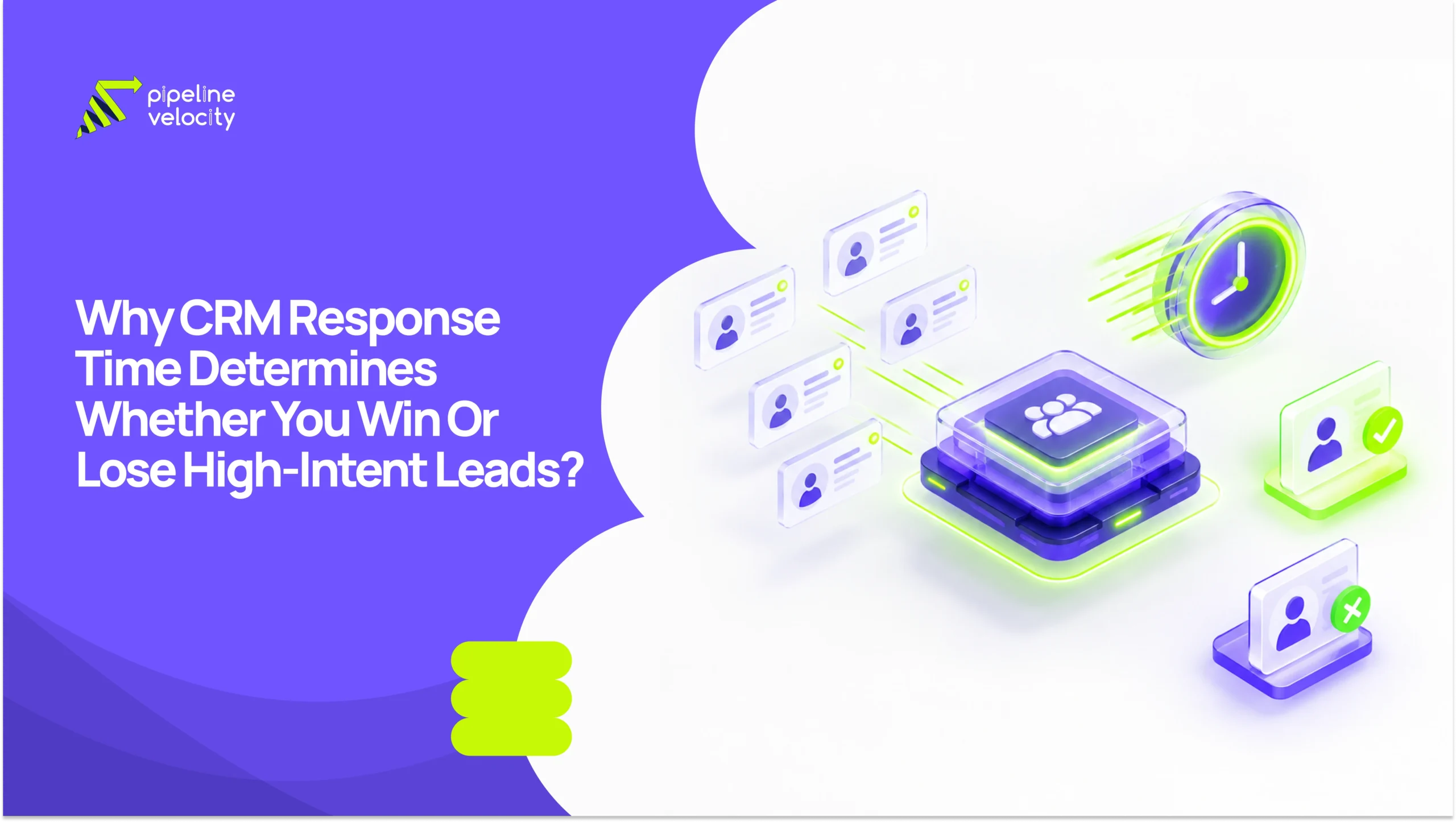


A high-intent lead does not stay hot for long.
Someone visits your pricing page, fills out a demo form, asks for a quote, or submits a contact request. In that moment, they are actively looking for an answer. They may be comparing vendors, building a shortlist, or trying to solve a problem that already has urgency behind it.
Then the clock starts.
If your CRM routes the lead quickly, alerts the right person, creates the right task, and gives sales enough context, your team has a real chance to win the conversation.
If the CRM delays the handoff, sends the lead to the wrong owner, buries the alert, or relies on a generic auto-reply, that same lead can go cold before anyone notices.
That is why CRM response time matters. It is not just a sales metric. It is a revenue system metric.
Table of Contents
- What Is CRM Response Time?
- Why Lead Response Time Statistics Matter
- What Counts as a High-Intent Lead?
- Why CRM Response Time Determines Your First Sales Advantage
- Where CRM Response Time Breaks Down
- How Slow Inbound Lead Response Time Hurts Your Pipeline
- What a Strong CRM Response System Should Include
- How to Improve CRM Response Time: 7 Proven Strategies
- How Pipeline Velocity Helps Fix Lead Response Gaps
- FAQs
- Conclusion
- Key Takeaways
What Is CRM Response Time?
CRM response time is the time between a lead entering your CRM and the first meaningful sales response.
That lead may come from a website form, demo request, phone call, chatbot, referral, paid ad form, webinar, or contact page. The response may happen through a call, personal email, SMS, chat reply, or booked meeting action.
The key word is meaningful.
An automated confirmation email can help, but it should not be treated as the same thing as real follow-up. A high-intent lead needs human attention, fast routing, clear ownership, and context that helps the sales team respond with relevance.
CRM response time depends on several moving parts:
- How quickly the lead enters the CRM
- Whether the record already exists
- Whether the lead is assigned correctly
- Whether the sales owner receives a real-time alert
- Whether the CRM shows intent, source, and activity history
- Whether the rep has a clear SLA for follow-up
- Whether missed responses are tracked and escalated
This is why inbound lead response time is not just about asking reps to move faster. It is about making sure the CRM gives them a clean, fast path to act.
Why Lead Response Time Statistics Matter
Lead response time statistics show how quickly buyer intent can fade.
The MIT and InsideSales.com Lead Response Management study is often cited for the five-minute rule. It found that the odds of contacting a lead were 100 times greater when the first call happened within five minutes rather than 30 minutes. The odds of qualifying that lead were 21 times greater.
You can review the InsideSales.com lead response research for the original findings.
Harvard Business Review published separate research in 2011. Its study found that companies contacting leads within one hour were nearly seven times more likely to qualify them than companies that waited even one hour longer. Its audit of 2,241 companies also found an average response time of 42 hours among companies that responded and that 23% never responded at all.
These numbers matter because they show a simple truth.
Interest has a shelf life.
When a buyer submits a high-intent form, they are not waiting quietly for your company to reply. They may be contacting competitors, checking reviews, reading comparison pages, asking for pricing, or asking their team for recommendations.
The company that responds first often shapes the buying conversation.
That does not mean the fastest company always wins. Fit, trust, expertise, offer, and price still matter. But a slow response makes every other advantage harder to use.
What Counts as a High-Intent Lead?
Not every lead needs the same level of urgency.
A newsletter signup and a demo request should not be treated the same way. A blog download may show interest, but a pricing request shows stronger buying intent. Your CRM response system should know the difference.
High-intent leads often include:
- Demo requests
- Pricing requests
- Contact sales forms
- Quote requests
- Consultation requests
- Product comparison page visitors
- Repeat visitors from target accounts
- Chat conversations with buying questions
- Referral leads
- Bottom-of-funnel content downloads
- Leads who view pricing, case studies, and service pages in one session
These leads deserve faster follow-up because they are closer to a buying conversation.
A general content download may need a nurture sequence. A pricing request needs immediate action.
That distinction is where many CRMs fail. The system captures the lead, but it does not separate urgent interest from casual engagement. As a result, sales teams may work leads in the wrong order.
Why CRM Response Time Determines Your First Sales Advantage
High-intent leads usually arrive with questions.
They want to know if you can solve their problem, how your service works, what it costs, what happens next, and whether you understand their situation.
A fast CRM response helps your team enter the conversation while the buyer is still focused.
That gives sales an advantage in four ways.
1. It Keeps the Buyer in the Moment
The best time to speak with a lead is when they just raised their hand.
They remember why they filled out the form. They are still thinking about the problem. They are more likely to answer a call or reply to a message.
If your team responds hours later, that moment may be gone.
2. It Builds Trust Early
Speed creates a first impression.
A fast, relevant response tells the buyer that your team is organized, attentive, and serious. A slow response sends the opposite message.
Even before the sales conversation begins, the buyer is judging how your company operates.
3. It Lets You Shape the Buying Criteria
The first real sales conversation often shapes what the buyer looks for next.
If your team responds quickly, you can ask the right questions, clarify the problem, explain the right solution, and help the buyer understand what matters.
If a competitor gets there first, they may define the buying criteria before you enter the conversation.
4. It Stops Leads From Sitting in the CRM
A lead sitting untouched in the CRM is not pipeline.
It is only potential.
CRM response time determines how quickly that potential turns into a conversation, a meeting, an opportunity, and eventually revenue.
Pipeline Velocity frames RevOps as the operating system that connects teams, tools, and data so revenue becomes more predictable. That matters here because response time is not one isolated action. It depends on CRM rules, routing, automation, dashboards, and ownership working together.
Where CRM Response Time Breaks Down
Slow inbound lead response time usually comes from system gaps, not a lack of effort.
Most sales teams do not ignore high-intent leads on purpose. The problem is that the CRM process often has friction hidden inside it.
Leads Are Not Routed Fast Enough
Lead routing decides who owns the next action.
If routing is manual, unclear, or outdated, high-intent leads can sit too long.
Common routing problems include:
- Leads sent to a shared inbox
- Leads assigned to inactive users
- No round-robin logic
- No territory rules
- No service-line routing
- No backup owner
- No priority routing for demo or pricing requests
- No account owner matching
- No escalation when a lead goes untouched
Pipeline Velocity’s CRM Management Service supports CRM workflows, automation, and lead management so businesses can improve how leads are assigned and followed up.
Alerts Do Not Create Action
A CRM alert should help a rep act quickly.
A weak alert only says a new lead came in. A useful alert tells the rep who the lead is, what they requested, where they came from, what they viewed, how urgent they are, and what to do next.
Bad alerts create delay because reps need to open the CRM, search for context, check history, confirm ownership, and figure out whether the lead is worth immediate action.
That delay matters.
No One Owns the SLA
An SLA, or service level agreement, defines how fast a lead should be contacted.
Without an SLA, every rep and manager may have a different definition of fast.
Marketing may expect follow-up in five minutes. Sales may think the same day is fine. Leadership may only notice the issue when close rates drop.
A good SLA removes confusion.
It should define:
- Which leads need an immediate response
- Who owns the first touch
- What channel should be used
- How many follow-up attempts are required
- When a missed response should escalate
- What counts as a completed response
- How response time will be measured
Pipeline Velocity’s Revenue Operations Agency helps align routing, automation, reporting, and governance across revenue teams.
Duplicate Records Hide Intent
A high-intent lead may already exist in your CRM.
If the CRM creates a duplicate record, the new activity may sit on the wrong profile. One record may show the demo request. Another may show previous sales activity. A third may show the correct company or owner.
Now the rep has an incomplete view.
Duplicate records can delay follow-up, confuse ownership, split lead scoring, and make reporting less reliable.
Lead Scores Are Not Prioritized Properly
Lead scoring should help sales understand which leads deserve the fastest response.
But if the scoring model is outdated or too broad, it can bury high-intent leads.
For example, a lead who downloads three top-of-funnel guides may have a higher score than someone who requests pricing once. That can happen when the model rewards volume of activity more than intent.
Your CRM should treat buying actions differently from casual engagement.
Automated Emails Create a False Sense of Follow-Up
An auto-reply is useful.
It confirms the request and gives the buyer a first touchpoint. But it does not replace real sales follow-up for high-intent leads.
The problem starts when teams see an automated email and assume the lead has been handled.
A buyer who requested a demo does not want to sit in a generic nurture track. They want a clear next step.
How Slow Inbound Lead Response Time Hurts Your Pipeline
Slow CRM response time creates damage across the full revenue process.
It does not only reduce contact rates. It affects pipeline quality, forecasting, sales productivity, and buyer trust.
Fewer High-Intent Leads Become Conversations
If sales follows up too late, fewer leads answer.
That makes good leads look unresponsive.
Marketing may think the campaign worked because it generated form fills. Sales may say the leads were weak because nobody replied. Leadership may question the source.
The real issue may be response time.
Sales Cycles Start Late
Every delay pushes the sales cycle back.
If a buyer requests a demo today but gets a meaningful response tomorrow, the opportunity has already lost momentum. In competitive markets, that delay gives other vendors more time to build trust.
Fast response helps the sales cycle start while urgency is still active.
Lead Quality Gets Misread
Slow follow-up can make qualified leads look unqualified.
A buyer may not respond after six hours because they already booked with someone else. That does not mean the lead was bad. It means the response window was missed.
When this happens often, sales and marketing start arguing about lead quality instead of fixing the system.
Forecasting Gets Messier
Inconsistent response time makes conversion rates harder to predict.
Some leads get contacted in five minutes. Others wait a day. Some get five touches. Others get one. Some are routed correctly. Others sit in a queue.
That inconsistency makes pipeline data less useful.
Pipeline Velocity’s Revenue Operations Agency focuses on aligning marketing, sales, and systems to remove bottlenecks and drive predictable revenue growth across the pipeline.
Ad Spend Gets Wasted
Paid campaigns often produce high-intent inquiries.
If those leads are not routed and contacted quickly, part of the ad spend gets wasted after the click.
This is why PPC performance cannot be judged only by cost per lead. A campaign may produce strong leads, but a weak CRM response process can lose them before sales has a chance to convert.
Pipeline Velocity’s PPC and SEO services focus on traffic and conversions, while the CRM and RevOps layer helps connect that demand to revenue action.
What a Strong CRM Response System Should Include
A strong CRM response system is built to move high-intent leads fast.
It should not depend on someone checking a spreadsheet, refreshing an inbox, or manually assigning records.
Clear Lead Priority Rules
Start by defining which leads need the fastest response.
A simple model could look like this:
| Lead Type | Intent Level | Response Goal |
|---|---|---|
| Demo Request | Highest | Within 5 minutes |
| Pricing Request | Highest | Within 5 minutes |
| Contact Sales Form | High | Within 5–15 minutes |
| Referral Lead | High | Within 15 minutes |
| Chat With Buying Question | High | Within 5 minutes |
| Comparison Page Visitor | Medium to High | Within 30 minutes |
| Webinar Attendee | Medium | Same business day |
| Blog Download | Low to Medium | Nurture or same business day |
| Newsletter Signup | Low | Nurture sequence |
The exact timing can change by business model, team size, and sales motion. The main point is simple: urgent leads need urgent workflows.
Fast and Accurate Routing
The CRM should assign high-intent leads instantly.
Routing can be based on:
- Territory
- Product or service interest
- Company size
- Industry
- Existing account owner
- Deal ownership
- Round-robin distribution
- Source or campaign
- Customer versus prospect status
- Partner or referral source
Fast routing matters, but accurate routing matters too. A lead routed quickly to the wrong person still creates delay.
Real-Time Alerts With Context
A strong CRM alert should include enough detail for a rep to act.
For example:
- Lead name
- Company
- Email and phone number
- Lead source
- Form submitted
- Page viewed
- Campaign source
- Lifecycle stage
- Existing owner
- Previous activity
- Suggested next action
The rep should not have to hunt for context before responding.
SLA Dashboards
A CRM response dashboard should show whether the team is meeting its response goals.
Track:
- Average first response time
- Median first response time
- Response time by lead source
- Response time by rep
- Response time by form type
- Response time by campaign
- Leads contacted within five minutes
- Leads contacted within one hour
- Leads with no response
- Missed SLA rate
- Conversion rate by response window
Pipeline Velocity’s RevOps approach emphasizes evaluating tools around practical use cases and KPIs such as speed to lead, SLA compliance, lead-to-opportunity conversion, pipeline velocity, and stage aging.
Backup Ownership
No lead should wait because one person is busy.
Your CRM should have backup rules for:
- Out-of-office reps
- Inactive users
- Unassigned territories
- Missed response windows
- Leads with no owner
- High-value accounts
- After-hours inquiries
Backup ownership protects pipeline from human availability gaps.
Follow-Up Sequences That Support Sales
A strong follow-up sequence should help sales stay consistent.
For high-intent leads, the sequence may include:
- Immediate call attempt
- Personalized email
- Same-day second call
- SMS where appropriate
- Follow-up email with relevant context
- Next-day call
- Additional follow-ups over the next few business days
The goal is not to spam. The goal is to make sure an interested buyer does not get one weak attempt and disappear.
How to Improve CRM Response Time: 7 Proven Strategies
Improving CRM response time starts with visibility.
You need to know where the delay is happening before you can fix it.
1. Audit the Last 90 Days of Inbound Leads
Pull CRM data for the last 90 days.
Review:
- Lead created time
- Lead assigned time
- First alert sent time
- First call time
- First email time
- First meaningful sales action
- Meeting booked time
- Opportunity created time
- Lead source
- Lead owner
- Conversion result
Then compare high-intent leads against low-intent leads.
If pricing requests and blog downloads receive the same response speed, your process needs work.
2. Separate Automated Replies From Human Responses
Measure both.
Automated email response time tells you when the system acknowledged the lead. Human response time tells you when sales actually acted.
For high-intent leads, both matter.
The auto-reply should be immediate. The sales response should be fast enough to catch the buyer while intent is still active.
3. Create SLA Tiers by Lead Intent
Do not use one response rule for every lead.
Create tiers.
For example:
- Tier 1: Demo, pricing, contact sales, and quote requests
- Tier 2: Referral, chat inquiry, and comparison page engagement
- Tier 3: Webinar, event, and bottom-of-funnel content
- Tier 4: Blog download, newsletter, and early-stage content
Then assign response goals to each tier.
This helps sales focus on the leads most likely to turn into opportunities.
4. Fix Routing Before Adding More Leads
Many teams try to solve revenue problems by increasing lead volume.
But if response time is already slow, more leads can make the leak bigger.
Fix routing first.
Make sure each high-intent lead goes to the right person immediately. Make sure there is backup ownership. Make sure alerts are visible. Make sure managers can see missed SLAs.
5. Clean Your CRM Data
Messy CRM data slows everything down.
Clean up:
- Duplicate records
- Missing owners
- Invalid emails
- Incomplete phone numbers
- Old lifecycle stages
- Bad lead source values
- Incorrect account associations
- Inactive users
- Broken integrations
Pipeline Velocity’s Zoho CRM Partner service helps businesses clean up, optimize, and automate CRM systems so teams can track leads, manage deals, and make better sales decisions with confidence.
6. Build Escalation Rules
If a high-intent lead is not contacted in time, the CRM should escalate it.
For example:
- No response after five minutes: Alert the owner again.
- No response after 15 minutes: Notify the manager.
- No response after 30 minutes: Reassign or add a backup owner.
- No response after one hour: Flag it in the SLA dashboard.
- No response by the end of the day: Review it in the daily standup.
Escalation rules make sure missed follow-up becomes visible before the opportunity goes cold.
7. Review Response Time Weekly
CRM response time should be reviewed every week.
Look at:
- Which sources create the fastest follow-up
- Which sources create delays
- Which reps meet SLA
- Which reps need support
- Which forms create routing issues
- Which workflows fail
- Which high-intent leads went untouched
- Which response windows convert best
This keeps response time from becoming a one-time cleanup project.
How Pipeline Velocity Helps Fix Lead Response Gaps
Pipeline Velocity helps businesses fix the full path from lead capture to revenue.
That matters because response time is rarely a single-person problem. It is usually a system problem.
Pipeline Velocity’s CRM Management and RevOps services support lead assignment rules, automated follow-up sequences, real-time notifications, campaign management, segmentation, reporting, and automated pipeline management.
Its Revenue Operations Agency helps align marketing, sales, and systems to eliminate bottlenecks and create more predictable revenue growth.
For businesses using Zoho, Pipeline Velocity also supports CRM cleanup, optimization, and automation through its Zoho CRM Partner service, helping teams track leads, manage deals, and make better sales decisions with confidence.
That is the real answer to slow CRM response time.
Not more pressure on sales.
Not more leads from marketing.
Not more dashboards that only show the problem after the month ends.
The fix is a better revenue system.
One where high-intent leads are captured cleanly, routed instantly, assigned clearly, followed up quickly, and tracked all the way to pipeline.
FAQs
What Is CRM Response Time?
CRM response time is the time between a lead entering your CRM and the first meaningful sales response. It includes how quickly the lead is captured, assigned, alerted, and acted on by the right person.
What Is Inbound Lead Response Time?
Inbound lead response time is the time it takes your team to respond after a prospect reaches out through an inbound channel, such as a website form, demo request, pricing request, chatbot, phone call, or paid ad form.
Why Is CRM Response Time Important for High-Intent Leads?
CRM response time matters because high-intent leads are actively looking for a solution. If your team responds quickly, you can reach the buyer while interest is still active. If the response is slow, the buyer may move to a competitor or lose urgency.
What Are the Most Important Lead Response Time Statistics?
The MIT and InsideSales.com study found that the odds of contacting a lead were 100 times greater when the first call happened within five minutes rather than 30 minutes. The odds of qualifying the lead were 21 times greater. Separately, Harvard Business Review found that companies contacting leads within one hour were nearly seven times more likely to qualify them than companies that waited even one hour longer.
What Is a Good CRM Response Time?
For high-intent leads such as demo requests, pricing requests, contact sales forms, and quote requests, a strong goal is within five minutes. Lower-intent leads can follow a longer SLA, but they should still be assigned and tracked.
Does an Automated Email Count as a Lead Response?
An automated email can count as a system response, but it should not replace meaningful sales follow-up for high-intent leads. A buyer who requests a demo or pricing usually needs a fast, relevant human response.
What Causes Slow CRM Response Time?
Slow CRM response time is often caused by manual routing, weak alerts, unclear ownership, duplicate records, missing SLAs, poor lead scoring, inactive users, shared inboxes, and disconnected tools.
How Can CRM Automation Improve Lead Response Time?
CRM automation can assign leads instantly, create tasks, send real-time alerts, trigger follow-up sequences, escalate missed SLAs, and update dashboards. The key is making sure automation supports fast human action, not just generic emails.
How Should Teams Track CRM Response Time?
Teams should track average first response time, median response time, response time by source, response time by rep, leads contacted within five minutes, leads contacted within one hour, missed SLA rate, and conversion rate by response window.
How Often Should CRM Response Time Be Reviewed?
CRM response time should be reviewed weekly for teams that depend on inbound leads. High-intent forms, paid campaigns, demo requests, and pricing requests should be checked often because delays directly affect pipeline.
Conclusion
High-intent leads are valuable because they arrive with urgency.
They have a problem. They are looking for answers. They are open to a conversation. But that interest does not wait forever.
CRM response time determines whether your team catches that moment or misses it.
If your CRM routes leads slowly, sends weak alerts, hides duplicate records, lacks SLA rules, or fails to show intent, good leads can go cold before sales has a real chance.
The fix is not just telling reps to respond faster. The fix is building a CRM response system that makes fast follow-up easier, clearer, and measurable.
With the right routing, automation, data quality, and accountability, your team can turn more inbound inquiries into meaningful sales conversations.
Key Takeaways
- CRM response time measures how quickly your team acts after a lead enters the CRM.
- High-intent leads need faster responses than general content downloads or newsletter signups.
- Lead response time statistics show that early follow-up has a major impact on contact and qualification odds.
- Automated replies help, but they do not replace meaningful sales follow-up.
- Slow inbound lead response time often comes from routing issues, weak alerts, unclear ownership, poor data, and missing SLAs.
- CRM dashboards should track response time by source, rep, form type, campaign, and conversion result.
- Clean CRM data, fast routing, backup ownership, and escalation rules help protect high-intent leads.
- Pipeline Velocity helps businesses clean, automate, and manage CRM systems so qualified leads move faster into real sales conversations.