


Your pipeline can look “fine” on paper while revenue still feels unpredictable.
Leads get stuck, follow-ups slip, sales and marketing argue about quality, and your CRM becomes the place where good opportunities quietly go to die. That is usually not a problem with hustle. It is an operating system problem.
Revenue Operations (RevOps) fixes that by aligning the teams, tools, and data responsible for revenue, then turning that alignment into repeatable daily execution.
What Is Revenue Operations (RevOps)?
Revenue operations is a cross-functional approach that aligns the revenue lifecycle across teams such as marketing, sales, customer success, and often finance, using shared processes, data, and integrated systems.
In practical terms, RevOps exists to make revenue predictable by reducing friction across the customer journey.
RevOps vs Sales Ops vs Marketing Ops
- Sales Ops focuses on sales execution: territories, pipeline process, forecasting mechanics, and rep productivity.
- Marketing Ops focuses on marketing execution: campaign ops, marketing automation, scoring, routing, attribution.
- RevOps connects the full system end-to-end, so handoffs and metrics do not break when a buyer moves between teams.
If your teams do not share a single view of the funnel, a single set of definitions, and a single operating rhythm, you do not have a RevOps system. You have departments.
Pipeline Velocity positions RevOps exactly this way: aligning sales, marketing, and customer success under one unified goal, then wiring tools, teams, and data to work together.
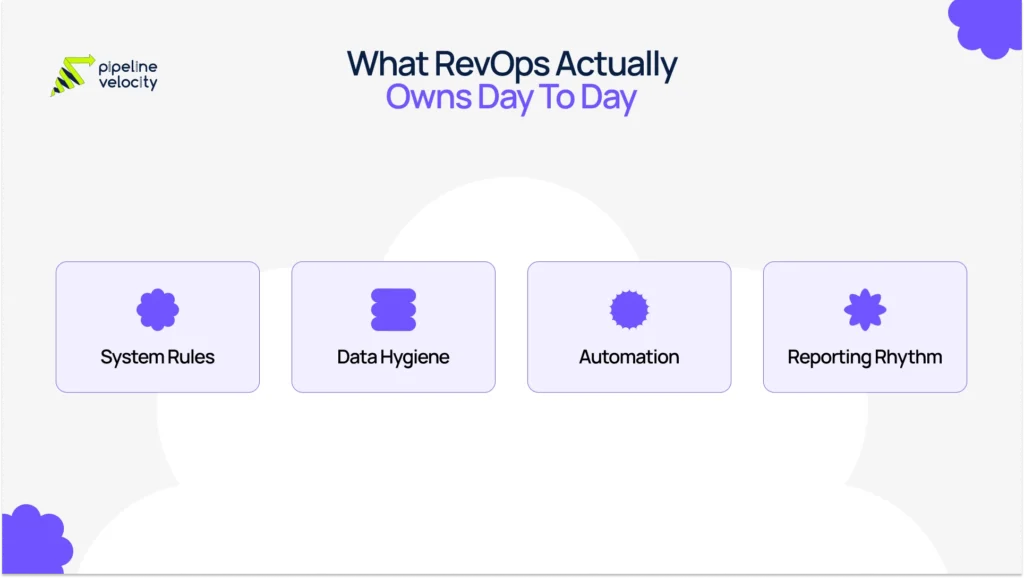
What Does Revenue Operations Do Day-to-Day?
A lot of RevOps work is not flashy. That is the point.
RevOps is the function that keeps the revenue engine tuned, so the business no longer relies on heroic effort to hit targets.
Here is what RevOps typically does day-to-day.
Owns The Revenue System (Not Just The CRM)
RevOps turns your funnel into a system with rules:
- Lifecycle stage definitions (lead, MQL, SQL, opportunity, customer)
- Entry and exit criteria for each stage
- SLAs for follow-up and handoffs
- Routing rules that get leads to the right rep fast
Keeps Data Clean Enough To Trust Decisions
RevOps maintains the “source of truth” by:
- Preventing duplicates and bad data
- Standardizing required fields by stage
- Auditing pipeline hygiene (stale deals, missing next steps, wrong close dates)
- Documenting what fields mean so reporting stays consistent
Builds Automations That Protect Follow-Up And Speed
This is where RevOps creates leverage:
- Lead assignment and notifications
- Automated follow-up sequences
- Alerts when deals stall
- Routing fixes when a rep is out, territories change, or SLAs are missed
If you want a Pipeline Velocity example of the “automation first” mindset, see how your site frames it: manual work costs time, and competitors are automating.
Runs The Revenue Rhythm That Keeps Everyone Aligned
RevOps is often the team that makes meetings useful by bringing one scoreboard:
- Weekly funnel and pipeline inspection
- Monthly performance review across teams
- Quarterly planning and targets, based on what the data is actually doing
Ships Reporting Leaders Can Defend
RevOps makes it possible to answer questions like:
- Which campaigns created a sales-qualified pipeline?
- Where are deals stalling, and why?
- Is the forecast wrong because of volume, win rate, deal size, or cycle length?
- Which segment is growing, and which is quietly shrinking?
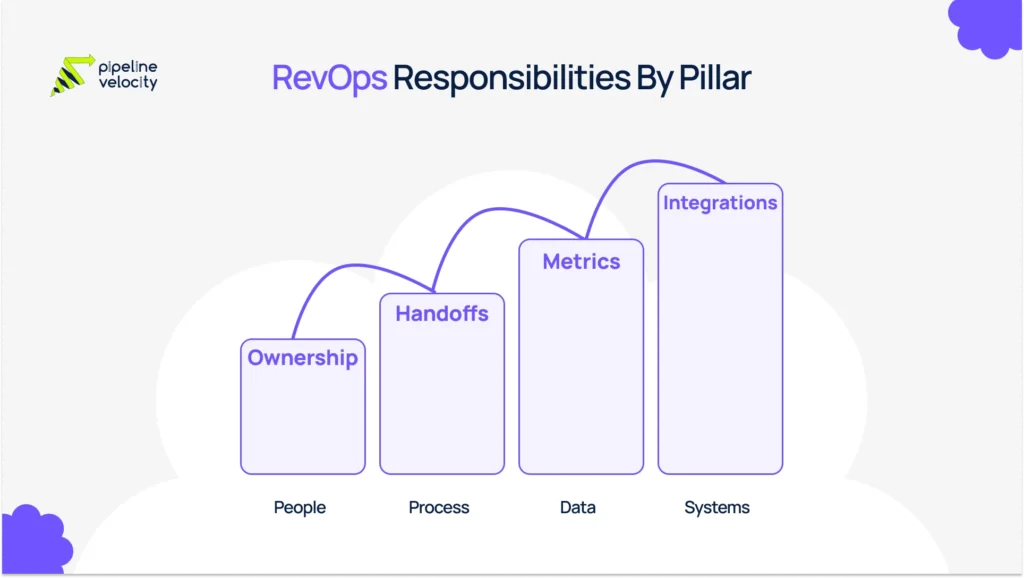
Revenue Operations Responsibilities By Pillar
A clean way to explain revenue operations responsibilities is through four pillars.
People
- Clarifies ownership (who owns routing, dashboards, definitions, SLAs)
- Trains teams on processes and tools
- Sets governance so changes do not break reporting
Process
- Defines lifecycle stages and handoffs
- Builds playbooks, qualification rules, and SLA expectations
- Removes bottlenecks across marketing, sales, and customer success
Data
- Creates a shared metrics model (one definition of SQL, one definition of pipeline)
- Builds dashboards for daily execution and executive reviews
- Monitors data quality and fixes the causes, not just symptoms
Systems
- Owns CRM configuration and integrations
- Ensures tools work together (CRM, marketing automation, sales engagement, analytics)
- Builds automations that reduce manual work and improve speed
Day-To-Day Examples Of RevOps In Action
Here are practical examples you can include in the updated blog to make RevOps feel real rather than theoretical.
Example 1: Fixing Lead Follow-Up So 500 Leads Don’t Become 50 Calls
Problem: Marketing generates leads; sales follow up on only a small fraction; and nobody trusts “lead quality.”
RevOps fix:
- Define what counts as qualified
- Score and route leads automatically
- Trigger follow-up tasks and sequences
- Add an SLA dashboard, so it is visible when follow-up slips
Example 2: Pipeline Hygiene That Makes Forecasts Less Emotional
Problem: Deals sit in stages too long, close dates drift, and forecasts become optimistic storytelling.
RevOps fix:
- Create stage exit criteria and required fields
- Add “stale deal” alerts (no activity in X days)
- Track stage aging and next-step compliance
- Run weekly pipeline inspection using one dashboard
Example 3: Attribution That Stops The Marketing vs Sales Blame Loop
Problem: Marketing reports leads, sales reports revenue, and nobody can connect activity to outcomes.
RevOps fix:
- Standardize campaign tracking and lifecycle timestamps
- Connect marketing automation to CRM consistently
- Report on pipeline created, pipeline influenced, and revenue, by channel and segment
Example 4: A Clean Sales-to-CS Handoff That Protects Retention
Problem: Customer success inherits a customer with missing context and mismatched expectations.
RevOps fix:
- Build a handoff checklist (what was promised, timeline, stakeholders)
- Ensure the CRM contains the right customer fields before “Closed Won”
- Create a renewal or expansion workflow early, not at month 11
Example 5: Turning A “RevOps Request” Into A Safe Change
A realistic look at the work: RevOps often takes GTM requests and turns them into system changes without creating a tangled mess of workflows and fields. That includes prioritizing work, designing processes, testing automation, shipping dashboards, and documenting changes so teams actually adopt them.
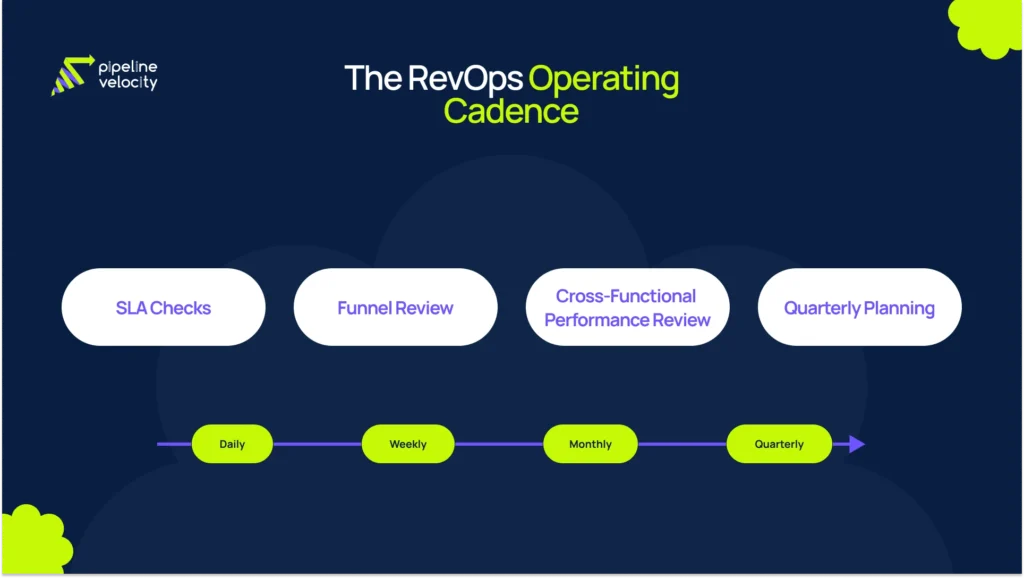
The RevOps Operating Cadence
RevOps is not only what you build, but it is also how you run it.
A revenue operating cadence is a predictable schedule for inspecting the funnel, diagnosing bottlenecks, and making decisions. It can run weekly, monthly, and quarterly, depending on maturity.
Here is a simple cadence you can publish in the blog.
Daily
- Monitor lead response time and SLA misses
- Check integration failures and routing errors
- Fix urgent data issues blocking reps
Weekly
- Funnel review: stage conversion, speed to lead, stuck stages
- Pipeline inspection: aging, risk flags, next steps, close-date drift
Monthly
- Cross-functional performance review with one scoreboard
- Dashboard updates based on what leaders need to decide
- Process improvements based on recurring bottlenecks
Quarterly
- Segment performance review and planning
- Process and tooling roadmap updates
- Target setting based on conversion and capacity realities
What RevOps Measures
RevOps should prove impact through leading indicators, not only lagging revenue.
Core Dashboards RevOps Owns
- Funnel conversion rates (by stage, by segment)
- Stage aging and cycle time
- SLA compliance for lead follow-up
- Forecast health: coverage, slippage, and pipeline changes week over week
Pipeline Velocity (A Practical RevOps Metric)
Pipeline velocity integrates pipeline quality and speed into a single view. A common formula is:
(Number of Opportunities × Average Deal Size × Win Rate) ÷ Sales Cycle Length.
When It’s Time To Bring In A RevOps Partner
You usually need outside RevOps support when:
- Your CRM is messy, and fixing it internally keeps getting deprioritized.
- Sales and marketing don’t trust the same numbers.
- Leads are slipping, follow-up is inconsistent, and nobody owns the handoffs.
- Reporting takes days and is still debated.
FAQs
What Is Revenue Operations?
Revenue operations is a framework that aligns revenue-related teams around shared processes, shared data, and integrated systems so the customer journey is consistent end to end.
What Does Revenue Operations Do?
RevOps owns the operating system behind revenue: lifecycle definitions, routing, SLAs, CRM governance, automations, reporting, and the meeting cadence that keeps teams aligned.
What Are Common Revenue Operations Responsibilities?
Common responsibilities include process design, data quality, tool integration, automation, dashboards, forecasting support, and cross-functional governance.
What Is The Difference Between RevOps And Sales Ops?
Sales Ops optimizes sales execution. RevOps aligns the full revenue lifecycle across teams to ensure consistent handoffs and metrics.
What Does A RevOps Manager Do Day To Day?
Day-to-day work often includes prioritizing requests, designing workflows, testing CRM automation, shipping dashboards, documenting changes, and running the operating cadence.
What Metrics Does RevOps Track?
RevOps commonly tracks funnel conversion, speed to lead, stage aging, forecast health, and pipeline velocity to diagnose which lever is actually broken.
Conclusion
Revenue Operations is about stopping reliance on effort and starting to rely on a system. When RevOps is working, leads get followed up on, the pipeline stays clean, teams share a single set of numbers, and the forecast becomes something you can defend.
If your team is busy but growth still feels stuck, it is usually a sign the revenue engine needs alignment, automation, and visibility, not more activity.
Key Takeaways:
- Revenue operations aligns teams, processes, data, and systems across the full revenue lifecycle.
- RevOps day-to-day work is execution-focused: routing, SLAs, CRM hygiene, automation, dashboards, and governance.
- A consistent operating cadence (weekly, monthly, quarterly) is what turns RevOps from a project into a system.
- Pipeline velocity is a practical metric RevOps can use to spot the real cause of misses: volume, deal size, win rate, or cycle length.