


“Alternate page with proper canonical tag” usually means Google found a duplicate URL, accepted another URL as the representative version and excluded the alternate from search results. That is often expected, not an error. Fix it only when the excluded URL should be independently indexable, points to the wrong canonical, or conflicts with your internal links, sitemap and content.
Key Takeaways
- Ignore the status when the listed URL is a true duplicate and Google chose the intended canonical.
- Fix it when a valuable page needs its own search visibility or the canonical points to an unrelated URL.
- Compare the declared canonical with Google’s selected canonical in URL Inspection.
- Keep internal links, XML sitemaps, redirects and canonical tags aligned around one preferred URL.
- Do not canonicalize paginated pages to page one; Google recommends self-referencing canonicals for each page.
- Test URL groups by pattern because one parameter rule can create thousands of exclusions.
What Does the Status Mean?
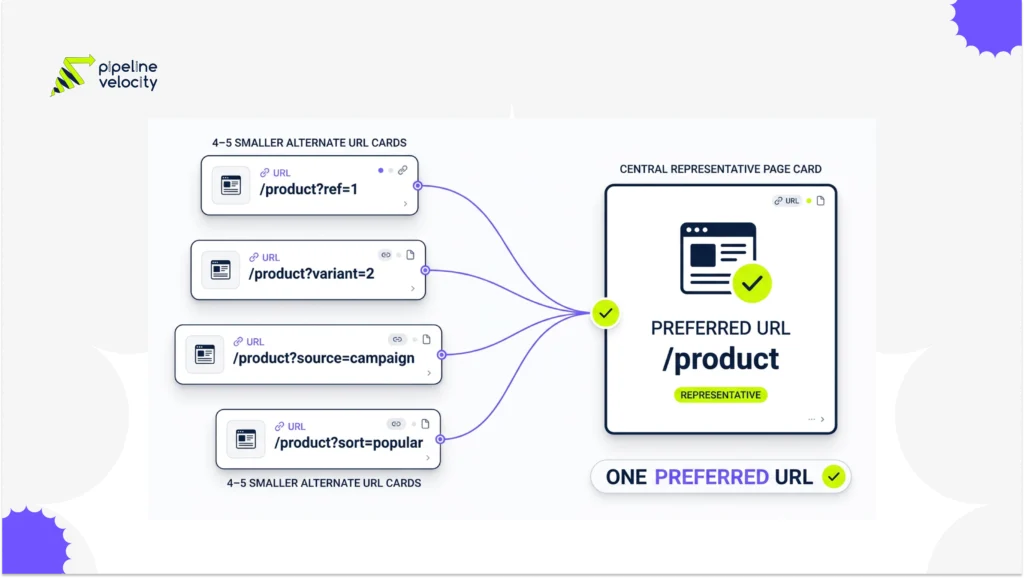
Google treats the URL as an alternate member of a duplicate cluster. Google’s canonicalization documentation defines canonicalization as selecting a representative URL from duplicate pages. The alternate can still be crawled, but Google normally serves the canonical in results.
The report describes Google’s current indexing decision, not a penalty. The useful question is whether the decision matches your intent. A tracking-parameter URL that canonicalizes to the clean product page is usually fine. A city service page canonicalized to a generic national page may be a serious mistake if the local content and intent are distinct.
Pipeline Velocity’s SEO service includes technical crawl and indexation work for sites that need these patterns audited across many URLs.
When Can You Ignore It?
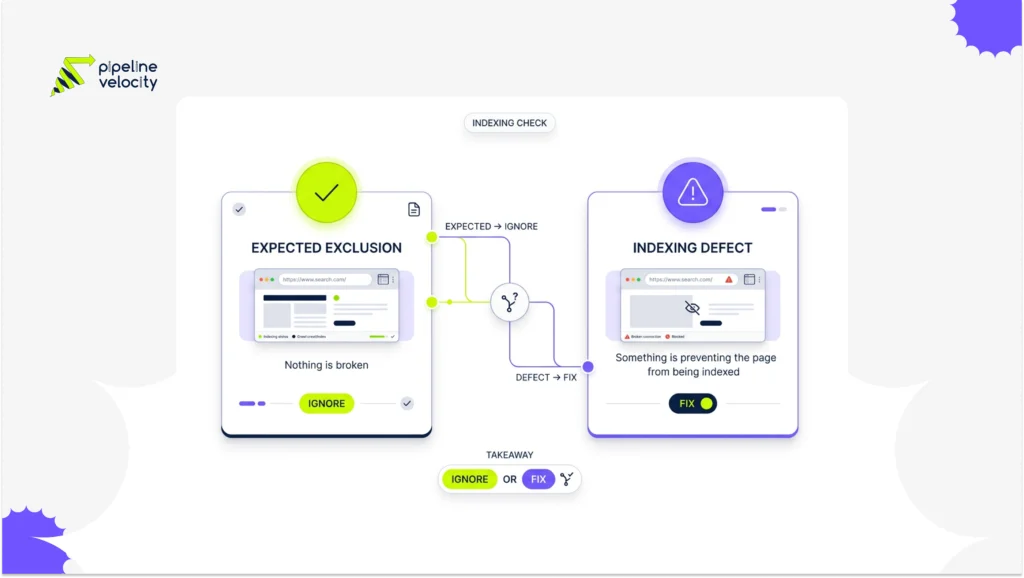
Ignore the status when every alternate is disposable in search and the selected canonical is correct. Common examples include tracking parameters, print versions, duplicate category paths and product variants that do not deserve separate results.
| URL Situation | Expected Decision | Action |
| Tracking parameter duplicates the clean page | Clean page is canonical | Ignore and stop linking to the parameter |
| HTTP, HTTPS or host duplicate redirects consistently | Final preferred URL is canonical | Verify redirect, then ignore |
| Near-identical product variant has no unique search value | Main product is canonical | Keep only if this matches merchandising intent |
| Paginated page contains unique items | Each page is self-canonical | Fix any canonical to page one |
Google’s pagination guidance says each page in a sequence should have its own canonical URL. That is a useful reminder that visual similarity alone does not make two URLs interchangeable.
When Does It Need a Fix?
Fix the status when the excluded URL represents a page you want Google to index. This often happens after a template copies the wrong canonical, a migration leaves old hostnames in page headers, or product and location pages reuse content too heavily.
Prioritize cases where:
- The canonical target returns an error, redirects or is not indexable
- The alternate and canonical serve different search intent
- The canonical points across domains unexpectedly
- Important pages are absent from the sitemap but duplicates are present
- Internal links repeatedly send crawlers to alternates
- Google chooses a different canonical from the one you declared
The Brave indexing workflow provides a related pre-submission checklist for status codes, robots, canonical tags, sitemaps and internal links.
How Do You Diagnose the URL?
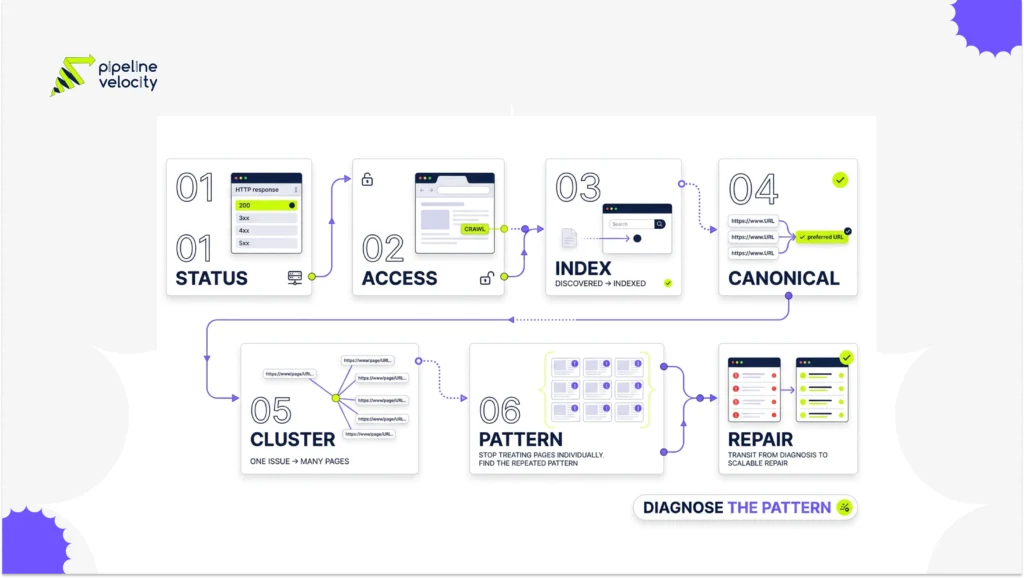
Inspect one example, then test the entire URL pattern. In Search Console, open the excluded URL and compare the user-declared canonical with the Google-selected canonical. Google’s canonical troubleshooting guide recommends URL Inspection for this comparison.
Use this sequence:
- Confirm the alternate returns the expected status code.
- View rendered and raw HTML for the canonical tag.
- Inspect the target’s status, robots directives and self-canonical.
- Compare content, intent and structured data.
- Check internal links and sitemap membership.
- Group other examples by parameter, template or directory.
- Fix the generating rule, not individual URLs.
A sitewide crawl is often faster than checking Search Console examples one at a time. Pair the findings with the website visibility guide to keep crawlability, internal discovery and page quality in the same review.
Which Fix Matches Each Failure Mode?
Choose the signal that matches the desired user experience. A canonical is a consolidation signal, not a substitute for every technical control.
- Use a self-referencing canonical when the page should be indexed.
- Point true duplicates to the preferred page with a consistent canonical.
- Use a permanent redirect when users and crawlers should never access the old URL.
- Remove noncanonical duplicates from XML sitemaps.
- Update internal links to the preferred URL.
- Add unique content only when the page serves genuinely distinct intent.
- Use noindex only when exclusion is intentional and consolidation is not needed.
Google’s guide to consolidating duplicate URLs states that sitemap URLs are suggested canonicals, while Google still makes the final decision. Stronger results come from consistent signals rather than one tag acting alone.
How Do You Prevent Canonical Conflicts?
Make the preferred URL a shared system rule. Your CMS, sitemap generator, navigation, hreflang logic and redirect rules should derive from the same normalized URL policy.
Create automated checks for missing canonicals, multiple canonical tags, non-200 targets, redirecting targets, canonical chains and internal links to alternates. During releases, test representative templates such as products, categories, filters, locations and articles.
Pipeline Velocity’s technical SEO capabilities can help turn these checks into a prioritized remediation plan rather than another export of warnings.
FAQs About Canonical Exclusions
Is Alternate Page With Proper Canonical Tag an Error?
No, it is usually an expected exclusion. It becomes a problem only when Google’s chosen representative conflicts with the page you need indexed.
Should I Validate a Fix in Search Console?
Validate only after changing a real issue. There is nothing to validate when the duplicate and canonical relationship is intentional.
Can a Canonical Tag Force Google to Choose a URL?
No, a canonical is a strong signal but not an absolute command. Google may select another URL when other signals or page quality point elsewhere.
Should Canonical URLs Be in the XML Sitemap?
Yes, include preferred indexable URLs and normally exclude their alternates. Sitemap consistency reinforces the intended canonical set.
Can JavaScript Set the Canonical Tag?
Google can process a JavaScript-generated canonical, but stable HTML is safer. Google’s JavaScript SEO guidance warns against changing an HTML canonical to a different value with JavaScript.
Does Canonicalization Save Crawl Budget?
It can reduce duplicate indexing signals, but Google may still crawl alternates. Prevent unnecessary URL creation and internal linking when duplicate discovery is the real problem.
Conclusion
Start with intent: should the listed URL appear in search on its own? If no, confirm the selected canonical and move on. If yes, align content, canonical tags, internal links, sitemaps and redirects around that URL, then request reprocessing.
For a pattern-level diagnosis, request a technical review through Pipeline Velocity’s SEO service and bring example URLs from each affected template.